Desktop OS
Windows, shortcuts, taskbar utilities, and dense project browsing for larger displays.
Experimental portfolio
A portfolio you can open, play, and explore. Desktop on your desk. Pocket on your phone.
Desktop + Pocket
Chapter 01
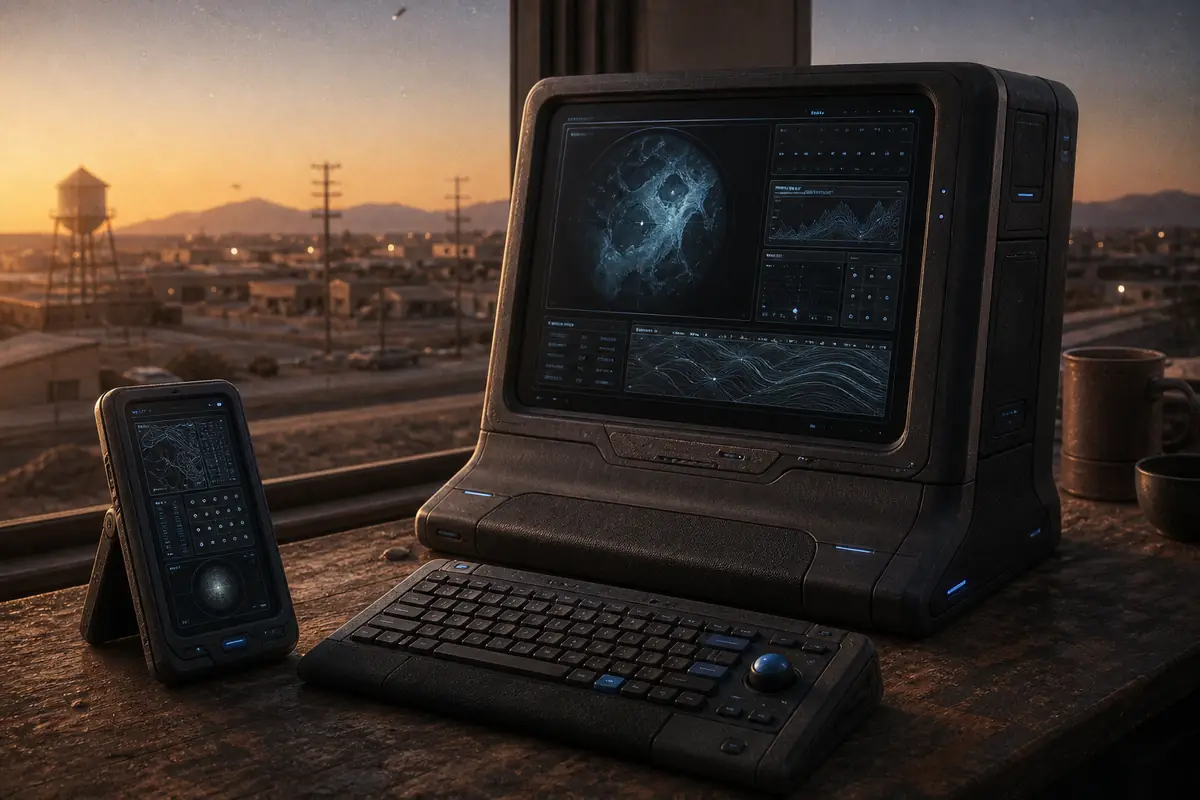
WestCose Labs OS is a working portfolio presented through two fictional operating systems. Desktop OS treats projects and utilities as files and windows. Pocket OS treats the same information as touch-first applications. Both sit on top of real, stable web routes, so the memorable presentation never becomes the only way to reach the work.
The project is not a static mockup. Its current implementation includes route-backed project pages, movable Desktop windows, a Pocket launch and lock sequence, local Notes and Settings applications, persistent preferences, hidden discoveries, and a server-rendered semantic document underneath the interactive shells. The concept art above establishes atmosphere; it is not labeled as a product screenshot.
Windows, shortcuts, taskbar utilities, and dense project browsing for larger displays.
Full-screen apps, a persistent Back control, compact metadata, and phone-sized reading flows.
Server-rendered headings, landmarks, links, metadata, and content that survive without shell interaction.
Chapter 02
Portfolio sites often face a false choice. A conventional grid is easy to scan but can feel interchangeable. A highly theatrical interface can be memorable but make basic actions such as opening a direct link, using Back, or reading with assistive technology unpredictable. WestCose Labs needed a stronger point of view without turning navigation into a puzzle.
The core problem was therefore not “how can a website look like an OS?” It was “how can the OS metaphor add character while the browser remains authoritative?” The answer had to work for a prospective client who wants a fast project overview, a reviewer inspecting implementation quality, and a curious visitor willing to explore the utilities and hidden details.
The repository also had practical limits: no database, account system, CMS, global state package, or duplicate mobile content model. Project facts and public links had to stay honest when owner approval was missing. Heavy experiences had to stay out of the initial route bundle until they were explicitly launched.
Chapter 03
The documented role covers product design and front-end system implementation. The work spans interaction modeling, visual-system translation, information architecture, component implementation, client-side state, responsive behavior, accessibility, and automated verification.
Responsibilities in the current repository include:
This is intentionally a system role rather than a single-page styling exercise. A small change to a route, registry, or preference can affect both shells and the semantic layer, so the implementation treats those relationships as product behavior.
Chapter 04
The strategy separates durable web behavior from expressive presentation. Route pages own headings, prose, metadata, and links. A shell resolver chooses Desktop or Pocket based on the viewport and saved preferences. Shell components frame the same route content with the controls and spatial model appropriate to that device.
Typed registries act as the system directory. They define apps, routes, project metadata, placement, notes, settings categories, discoveries, themes, terminal commands, and FightClub status. Local reducers and versioned storage handle state that belongs to the current browser. This keeps the system inspectable and avoids a remote service for data that never needs to leave the device.
Chapter 05
The public information architecture follows the portfolio rather than the OS chrome. Top-level routes cover projects, games, experiments, services, about, contact, notes, settings, and utilities. Nested project routes provide direct case-study URLs. Notes and Settings also use nested routes so a specific note, folder, or settings category can be refreshed, shared, and recovered through browser history.
Desktop shortcuts and Pocket icons are projections of that route registry. They do not own separate destinations. Parent relationships provide predictable Back targets, while static parameters keep known project, note, folder, and settings routes present in the production output.
Chapter 06
Desktop OS is organized around concurrent context. Route windows can move, resize, minimize, maximize, and return through the taskbar. Utility windows such as Terminal, Recycle, Notepad, and Settings behave like PC applications. Project content uses a wide editorial layout with a section index so the window can support both scanning and sustained reading.
Pocket OS is organized around focused tasks. The shell opens a route as a full-screen app, keeps Back and sharing outside the scroll container, and reduces metadata into a compact stack. The same project sections remain in the same semantic order, but the layout becomes linear and thumb-friendly.
Notes and Settings show why separate presenters matter. Both shells share the same saved preferences, curated notes, user-created notes, folders, and discovery state. Pocket Notes behaves like a phone notes app; Desktop presents the same library as PC Notepad. Pocket Settings uses grouped mobile rows; Desktop uses search, a category sidebar, control cards, and a system summary.
Dense chrome, mouse and keyboard affordances, menus, resizable windows, and visible system context.
One app at a time, touch targets, compact summaries, and a persistent navigation header.
Selection, editing, discovery triggers, validation, and persistence follow one behavioral contract.
Chapter 07
The visual direction is Retro Soft-Tech Neumorphism: graphite surfaces, soft light and dark shadow pairs, restrained blue and cyan accents, compact technical labels, and rounded controls that feel physical without becoming ornamental. The system is meant to resemble a believable custom workstation, not a direct copy of Windows, macOS, or iOS.
Primitive tokens feed semantic surface, text, border, motion, radius, and depth tokens. Components then consume those semantic values, allowing the Dusk and earned Corporate Beige themes to remap color and shadows without changing application geometry. Phosphor icons provide a consistent interaction vocabulary, while project art is kept separate from functional iconography and is labeled by evidence type.
Motion is short and purposeful. Press states communicate depth, startup sequences establish the fiction, and reduced-motion preferences remove unnecessary transitions. High-contrast and forced-color rules preserve borders and text relationships when the soft shadow language is unavailable.
Chapter 08
The implementation uses Next.js App Router, React, TypeScript, CSS Modules, and MDX. Server route modules render the durable document and metadata. A client OS root adds shell behavior and coordinates the Desktop and Pocket reducers. This boundary keeps project prose available before the interactive shell has initialized.
State is intentionally local and divided by responsibility. Desktop window geometry is session interaction state. Pocket startup and navigation state are stored separately. Preferences, discoveries, and user-authored notes use versioned local storage readers with additive defaults, so a new setting does not erase an older visitor's choices. Curated notes and all registries remain source-controlled data.
Large or optional experiences do not belong in the initial route path. FightClub keeps its remotely hosted runtime outside the portfolio bundle. The verified build mounts in a constrained iframe only after explicit Play, retains OS-owned Full Screen and Exit controls, and provides a reliable external fallback. That keeps portfolio navigation independent from the game runtime.
Routes, registries, curated notes, case studies, themes, and verified metadata.
Preferences, discoveries, earned themes, and user-created or edited note data.
Open windows, active menus, Pocket app origin, startup state, and transient notices.
Chapter 09
The central tradeoff is theatrical depth versus web predictability. If a shell owns navigation completely, direct links and history become fragile. If the document and shell are both interactive at the same time, controls can be duplicated for assistive technology. The current structure resolves this by keeping the server document as the content authority and treating the active shell as its presentation layer.
Another challenge is responsive behavior. Desktop and Pocket are not simply wide and narrow CSS versions of one component tree. They have different state models and app chrome, yet must share route meaning and stored work. Presenters and controllers split that responsibility without introducing a global state framework.
Neumorphism also carries an accessibility cost when boundaries rely only on shadows. The design compensates with explicit borders, text contrast, focus treatment, high-contrast support, and semantic landmarks. Finally, playful discoveries can reward exploration, but they cannot gate essential portfolio content or replace accurate status copy.
Chapter 10
WestCose Labs OS is an implemented and tested portfolio system. Stable routes, two public shell presentations, semantic fallback content, versioned local state, Notes, Settings, discoveries, themes, and core Desktop utilities are present in the current repository. Automated checks cover code quality, types, state logic, component behavior, browser navigation, accessibility, visual baselines, and production output.
The product has evolved in layers. V1 established the route-driven OS premise and its initial boundaries. V2 strengthened the content model, shells, registries, and verification baseline. V3 is expanding local applications, discoveries, full case studies, and the hosted FightClub boundary while preserving the same route authority.
FightClub opens its hosted build directly in a new tab from the desktop shortcut, Pocket tile, or Games library. The original local URL redirects to the hosted game. The portfolio does not embed the game or place a second start screen in front of it.
Explore our custom website design and web development services to see how we can approach your brief.
Discuss your website